Cloudflare Zero Trust: Securing Infrastructure & Private Services
Why I Needed Cloudflare Zero Trust
When I first deployed the Goalixa platform on my Kubernetes cluster, I had a critical security problem: all my private infrastructure tools were accessible via the internet to everyone.
The Wake-Up Call
I had ArgoCD, Harbor (my container registry), and Grafana (monitoring) all running with their own authentication systems. While they were password-protected, anyone on the internet could reach the login pages. This meant:
- ArgoCD (my GitOps deployment tool) accessible at internal1.example.com
- Harbor (container registry with all my Docker images) accessible at internal2.example.com
- Grafana (all my metrics and dashboards) accessible at internal3.example.com
Every day, I’d see thousands of failed login attempts in the logs. It was clear I needed a better solution.
What I Wanted
I needed a private network for these internal tools - something like OpenFortiVPN or OpenVPN where only authenticated users on specific devices could even reach these services.
But I didn’t want to:
- Manage another piece of infrastructure (VPN server)
- Deal with VPN client installations and certificate management
- Maintain firewall rules across 4 nodes
- Lose the convenience of accessing tools from anywhere
Discovering Cloudflare Zero Trust
That’s when I found Cloudflare Zero Trust. It offered everything I wanted:
- Identity-based access - services only accessible after email verification
- No VPN server to maintain - Cloudflare handles it all
- Device verification - WARP client ensures trusted devices only
- Audit logs - complete trail of who accessed what and when
- Free tier - perfect for my 4-node cluster
The Decision
I decided to implement Cloudflare Zero Trust on my own cluster. The goal was simple:
- Public services (example.com, app.example.com) remain open to everyone
- Private services (ArgoCD, Harbor, Grafana) require authentication
- Infrastructure access (SSH, kubectl) only via secure WARP tunnel
What I Implemented
I completed the full Cloudflare Zero Trust implementation across four phases:
Phase One: Cloudflare Tunnel
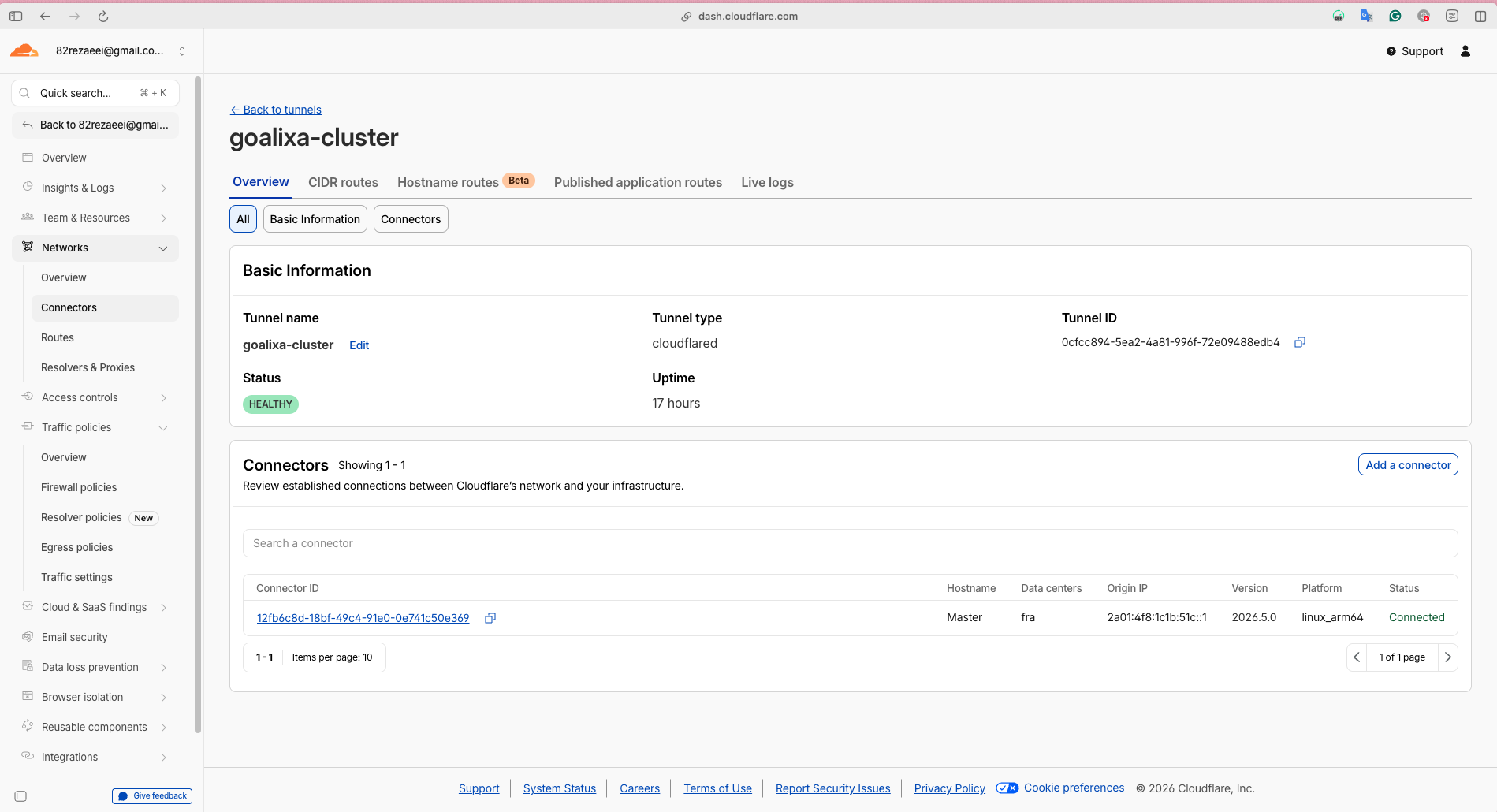
Installed cloudflared on my master node and created an outbound-only tunnel. All 5 domains now route through Cloudflare with 4 high-availability connections to EU-Central data centers.
Result: Zero open inbound ports for HTTP/HTTPS traffic
Phase Two: Public Services
Configured example.com and app.example.com to route through the tunnel while remaining publicly accessible.
Result: Public services benefit from Cloudflare’s global CDN and DDoS protection
Phase Three: Private Services
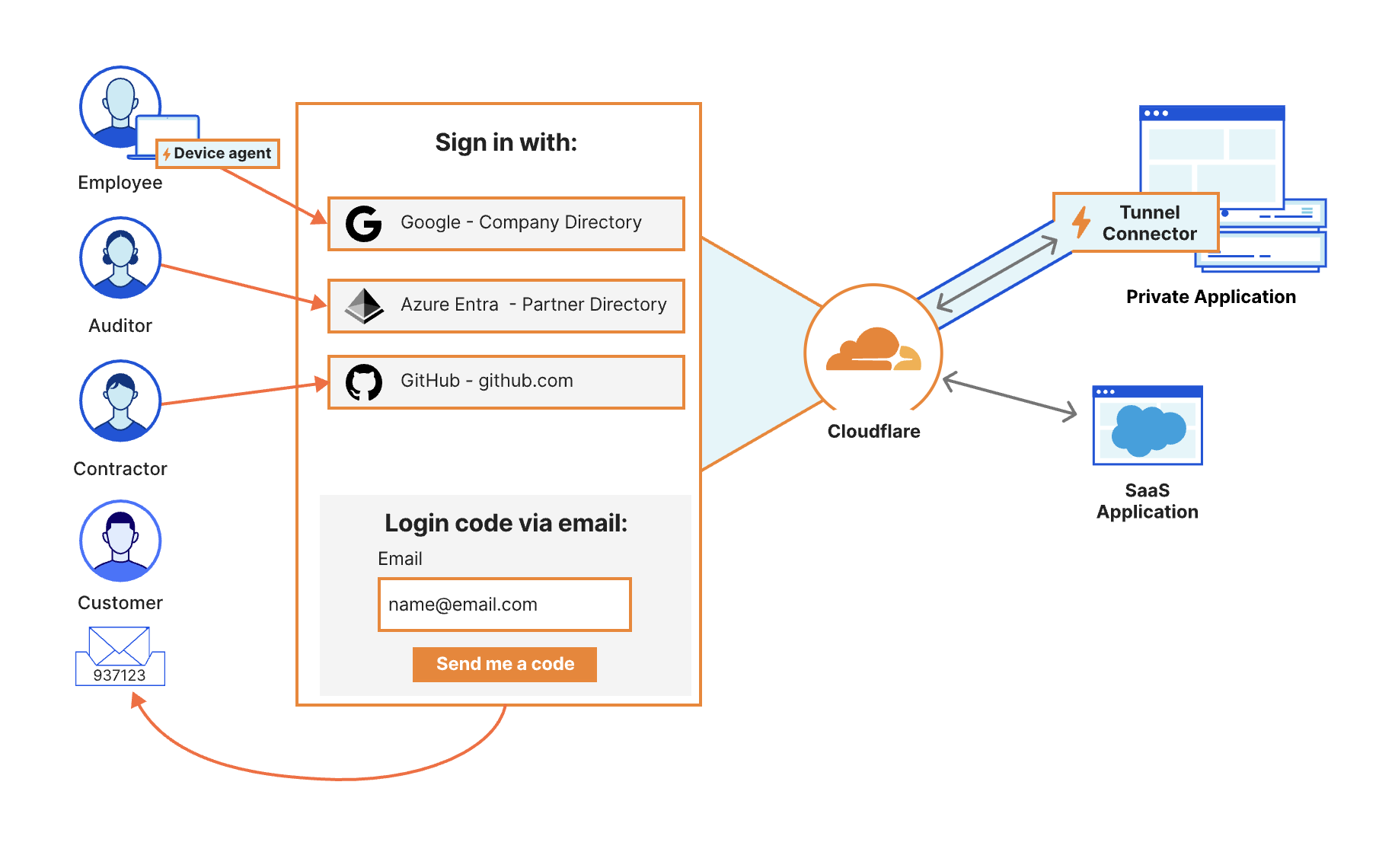
Added Cloudflare Access authentication to ArgoCD, Harbor, and Grafana. Now anyone trying to access these services sees a Cloudflare Access login page requiring email verification.
Result: Management tools now require email OTP before access
Phase Four: Infrastructure Access
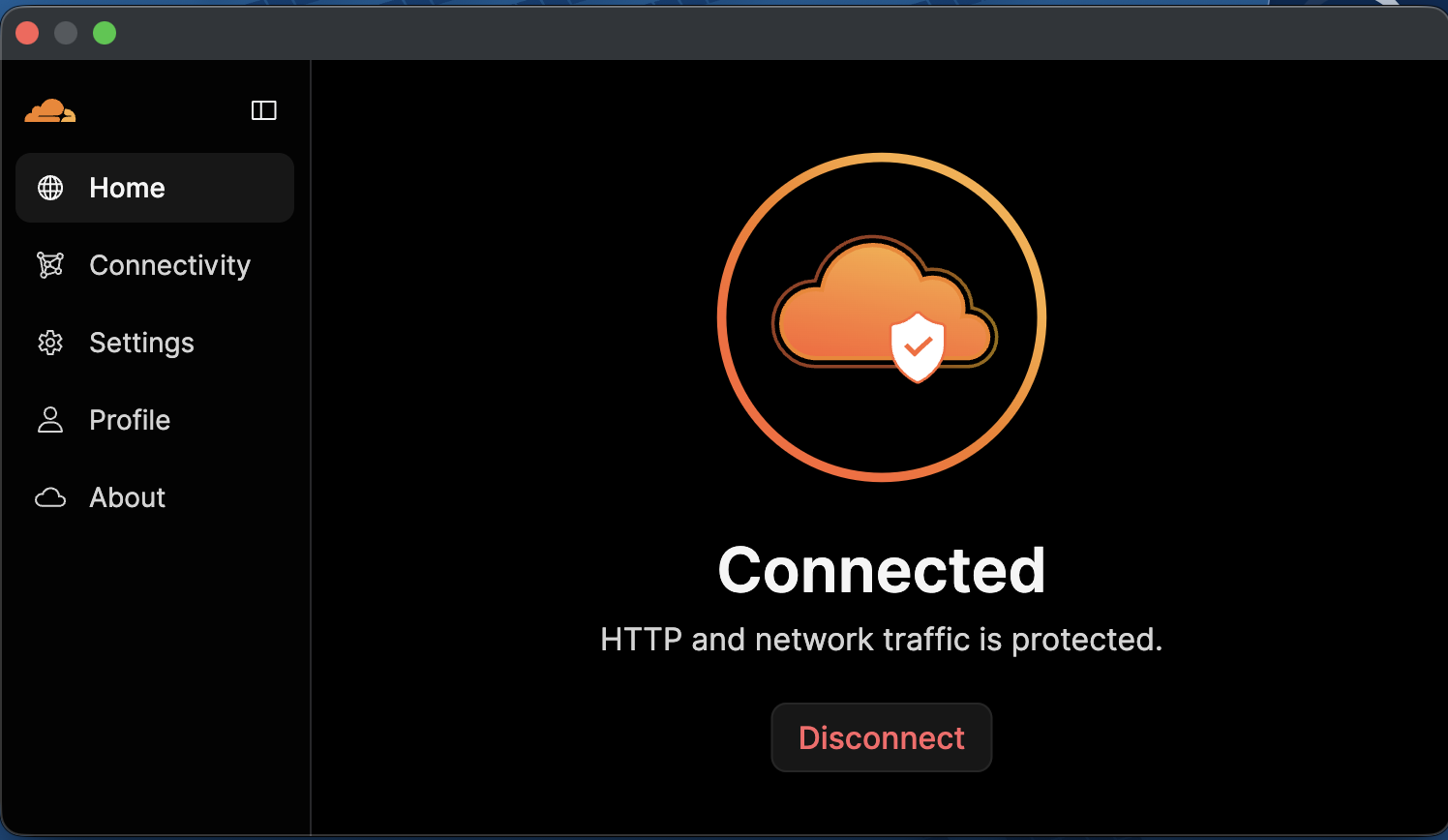
Configured WARP client for secure access to SSH (port 22) and kubectl (port 6443). Set up Gateway firewall policies to control access at the network level.
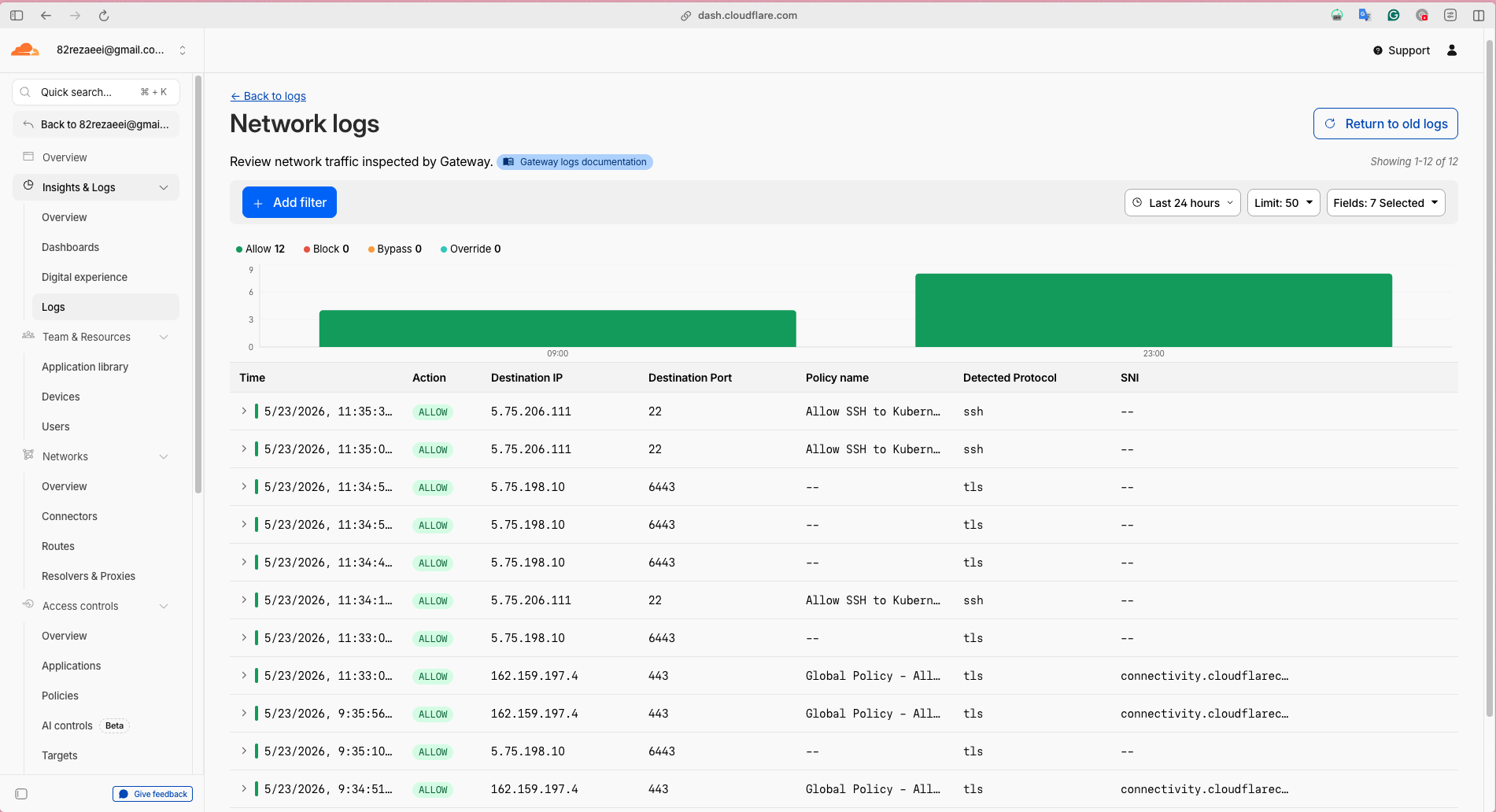
Result: kubectl API server (port 6443) only accessible via WARP, SSH (port 22) routing through WARP
Current Security Posture
What’s Protected:
- Private HTTP services - ArgoCD, Harbor, Grafana all require email authentication
- Kubernetes API - kubectl only works when WARP is connected
- Centralized access control - all policies managed in one dashboard
- Complete audit trail - every access logged with timestamp and user
What Changed:
- Before: Anyone could reach login pages of internal tools
- After: Internal tools require Cloudflare Access email verification first
The Setup
The implementation took about 6 hours spread across one day. Here’s what’s running now:
- Tunnel: 4 HA connections, 17MB memory, less than 1% CPU
- Domains: 5 total (2 public, 3 private)
- Access Policies: Email OTP with 24-hour sessions
- WARP: Split tunnel mode with 4 cluster IPs
- Cost: $0/month (Cloudflare Zero Trust free tier)
What’s in This Guide
This complete guide walks you through my implementation:
How It Works & Architecture
Understand the Cloudflare Zero Trust architecture, how traffic flows through the system, and how each component (Tunnel, Access, WARP, Gateway) works together.
Topics covered:
- Architecture diagrams and traffic flows
- Cloudflare Tunnel mechanics
- Access authentication flow
- WARP and Gateway integration
- Security model explained
Complete Setup Guide
Step-by-step configuration guide with actual commands, config files, and screenshots from my implementation.
What you’ll learn:
- How to install and configure cloudflared
- Creating tunnels and routing domains
- Setting up Cloudflare Access for private services
- Configuring WARP client and Gateway policies
- DNS configuration and verification
Troubleshooting
Read the troubleshooting guide →
Common issues I encountered, root causes, and solutions.
Issues covered:
- 500 Internal Server Errors (localhost vs external IP)
- DNS resolution problems (A records vs CNAME)
- WARP routing issues
- Access authentication failures
- Emergency recovery procedures
Performance & Metrics
Real-world performance data, metrics, and audit logs from my production implementation.
Metrics included:
- Tunnel connection health and uptime
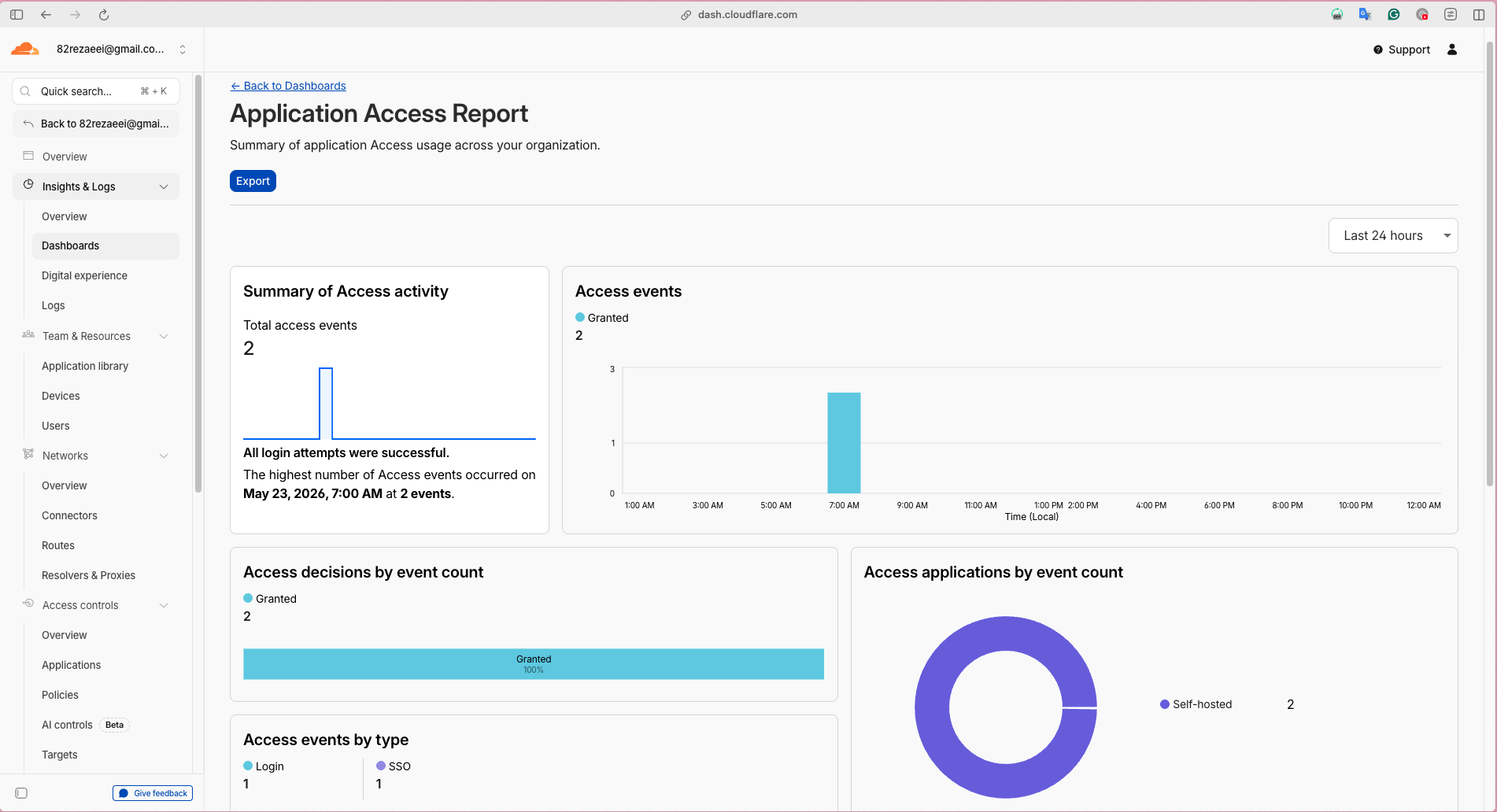
- Access authentication logs
- Gateway network traffic logs
- Device information and posture
- Cost savings and ROI
Quick Navigation
Want to implement this yourself? Start here: How It Works & Architecture
Just want to see the config? Jump to: Complete Setup Guide
Facing issues? Check: Troubleshooting
Curious about results? See: Performance & Metrics
My Infrastructure
For context, here’s what I’m securing:
Cluster: 4-node Kubernetes (kubeadm)
- Master node at EU-Central
- Worker nodes at EU-Central and EU-North
Public Services:
- example.com (landing page)
- app.example.com (PWA application)
Private Services:
- internal1.example.com (GitOps)
- internal2.example.com (Container registry)
- internal3.example.com (Grafana)
Stack:
- CNI: Cilium
- Ingress: nginx-ingress
- Storage: Longhorn
- GitOps: ArgoCD
- Monitoring: Prometheus + Grafana